Everyday mail
Personal mailbox
An @abnormalhq.com mailbox you buy and set up online, for everyday mail and signing up for the services you use.
Buy onlineSelf-service
Buy onlineLive prices under Plans and prices
Buy in the shopEmail, made personal
Create an account, buy @abnormalhq.com mailboxes online, and set them up and manage them from your account.
Read and send from webmail or the mail app you already use.
Have an account?Manage your mailboxes Log in to webmail
Less setup hassle.More time to talk.
See it in action
A short film about the Abnormal email service: a mailbox that just works, for everyday life and for work.
Take a look
This is webmail as it really looks: mail and your calendar, as easy on a phone as on a computer.
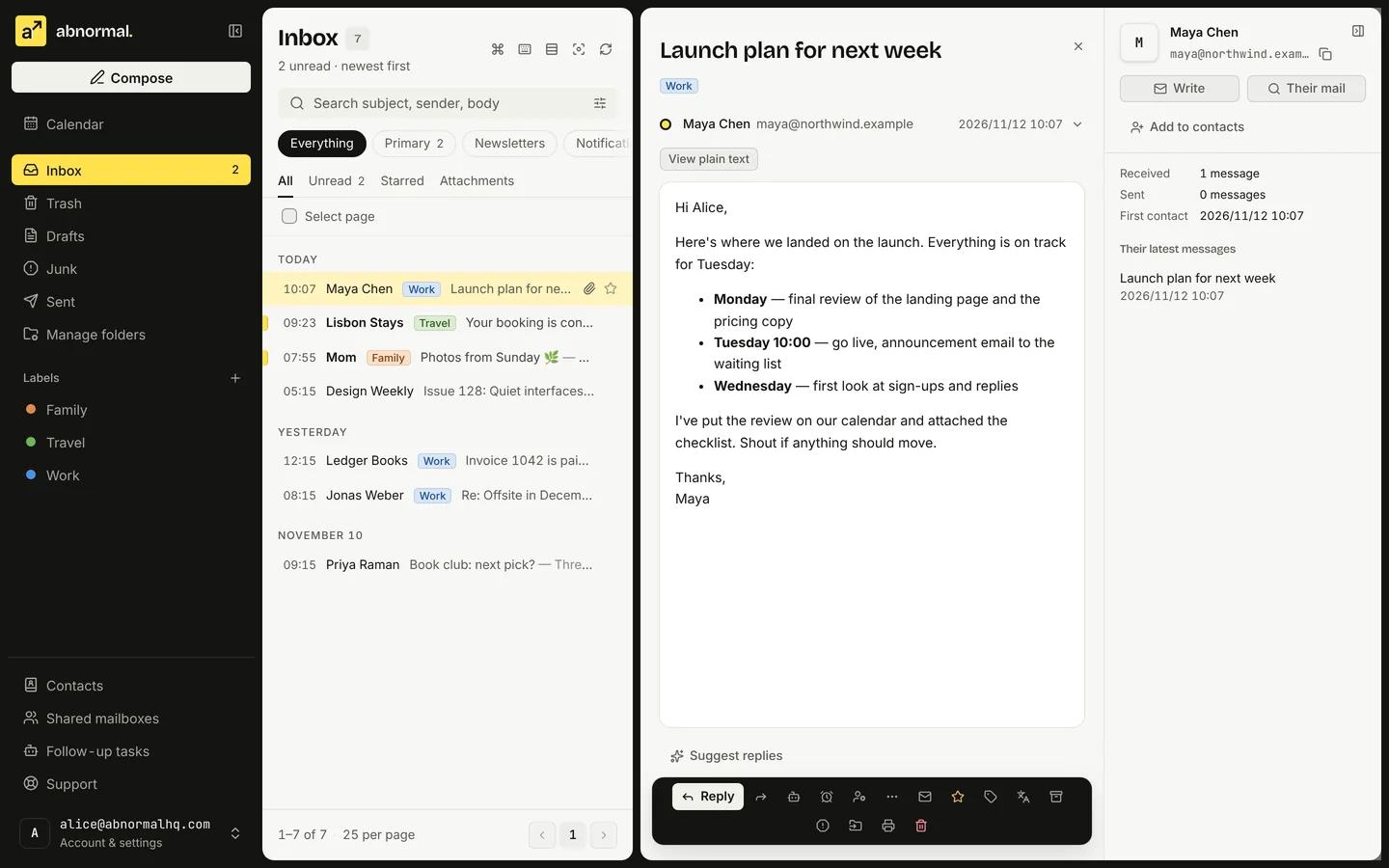
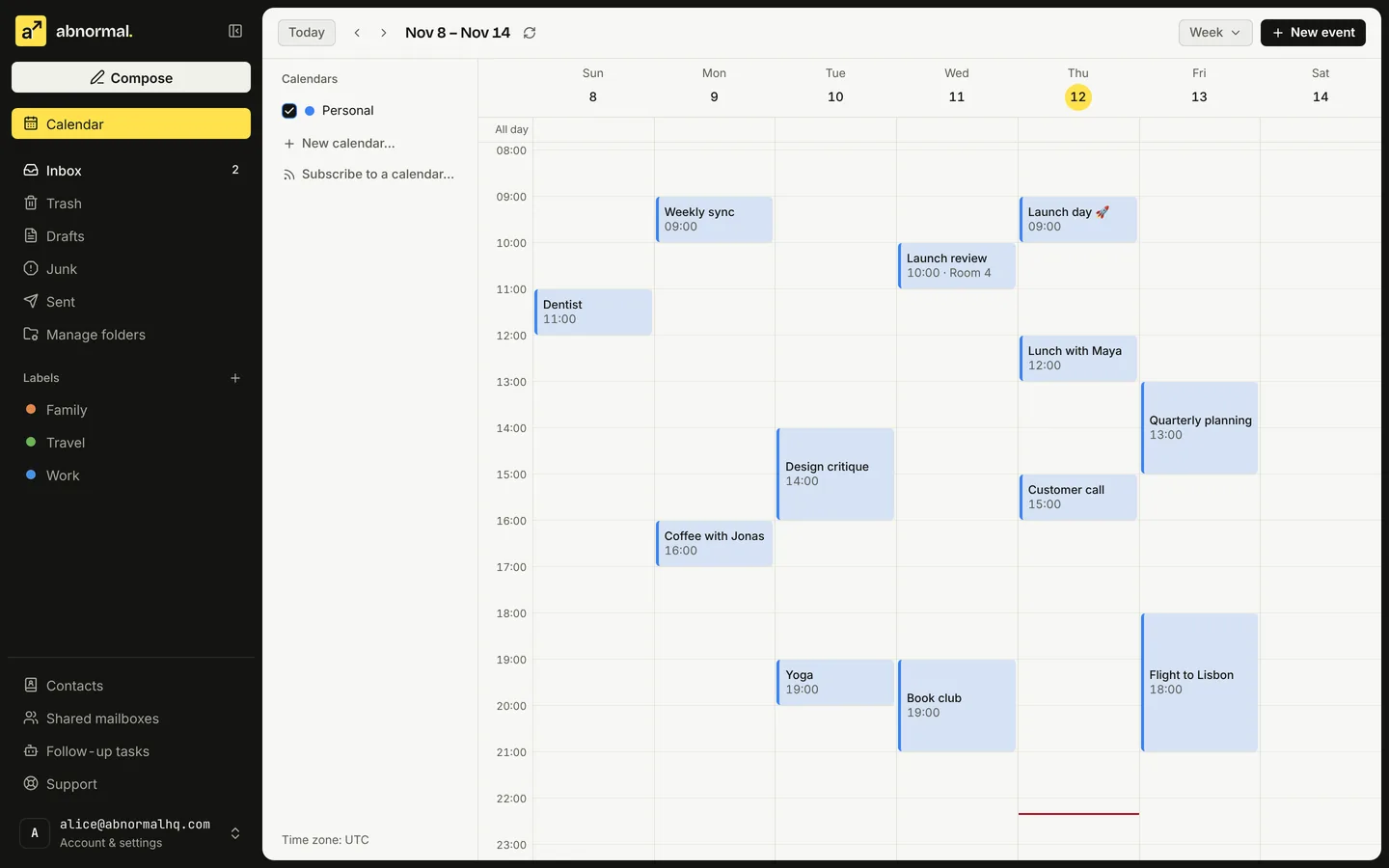
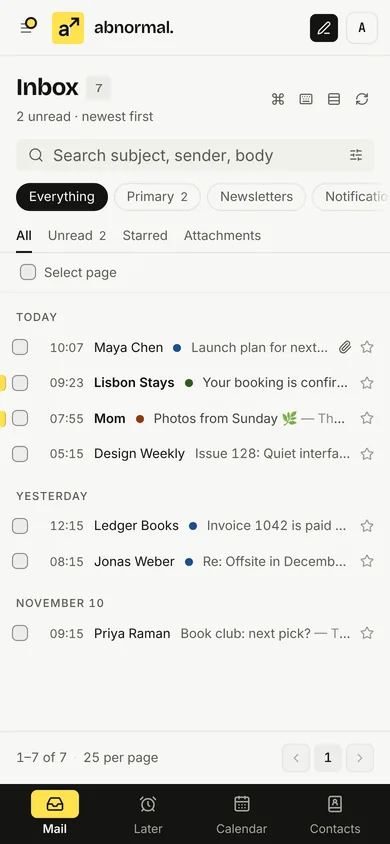
The mail and events in the screenshots are samples.
Try it yourself
A webmail you can use right here: open mail, star it, filter by category and label, search, check the calendar, or write a message.
Labels
Today
Yesterday
Earlier
The demo runs only in your browser with sample content. It never sends any mail.
01 / What's inside
Sorting, calendars, safety and moving in:
all there in webmail the day you activate.
Primary mail, newsletters and notifications sort themselves, each with its own unread count; add splits of your own by sender or keyword.
Take a message back for a few seconds after sending, or have it go out tomorrow morning. The mail server holds it, so closing the tab changes nothing.
Webmail has a calendar and an address book built in, with invitations answered right in the message; CalDAV and CardDAV sync them to your phone and computer.
Searches every folder by default and highlights the matches; narrow it in one go with from:, subject:, has:attachment and more.
Impersonated senders, lookalike domains and failed sender checks get a warning above the message; incoming attachments are scanned for viruses first.
A code on top of your password; mail apps get app passwords of their own, which you can revoke if a device goes missing without changing your main password.
Import old mail from Gmail, QQ Mail, 163 or any IMAP mailbox, paused and resumed as you like; export folders as mbox whenever you want.
File, flag or forward mail by sender, subject, attachments and more; turn on an auto-reply for time off, and block senders you never want to hear from.
Add webmail to your desktop or home screen and open it like an app; mail it has saved stays readable offline.
Primary mail, newsletters and notifications sort themselves, each with its own unread count; add splits of your own by sender or keyword.
Take a message back for a few seconds after sending, or have it go out tomorrow morning. The mail server holds it, so closing the tab changes nothing.
Webmail has a calendar and an address book built in, with invitations answered right in the message; CalDAV and CardDAV sync them to your phone and computer.
Searches every folder by default and highlights the matches; narrow it in one go with from:, subject:, has:attachment and more.
Impersonated senders, lookalike domains and failed sender checks get a warning above the message; incoming attachments are scanned for viruses first.
A code on top of your password; mail apps get app passwords of their own, which you can revoke if a device goes missing without changing your main password.
Import old mail from Gmail, QQ Mail, 163 or any IMAP mailbox, paused and resumed as you like; export folders as mbox whenever you want.
File, flag or forward mail by sender, subject, attachments and more; turn on an auto-reply for time off, and block senders you never want to hear from.
Add webmail to your desktop or home screen and open it like an app; mail it has saved stays readable offline.
Webmail
Nothing to install. Sign in to several mailboxes at once and switch between them in one click.
Log in to webmailDesktop app
Native apps for macOS and Windows, with folders, read state and stars in sync with webmail.
Download the appPhones and other apps
Your phone's built-in Mail, Calendar and Contacts, or any mail app that speaks IMAP and SMTP.
See the setup guide02 / Start here
Sign up, buy, set up and start sending,
all from this page.
03 / Plain pricing
Read live from the shop:
what you see here is what you pay.
Loading plans…
The plan sets the price, the number of mailboxes and the storage. Everything below is the same for every mailbox.
Each mailbox gets the storage its plan states as its own quota. It is not pooled with your other mailboxes.
Any free username of up to 64 characters: lowercase letters, digits, dots, hyphens and underscores, starting and ending with a letter or digit.
One-time plans never expire. A subscription that isn't renewed keeps working through a 7-day grace period, is then suspended (it still receives mail) and kept for 30 days before it may be deleted.
IMAP and SMTP over TLS for any mail app, CalDAV and CardDAV for calendars and contacts. Import old mail over IMAP and export folders as mbox.
Webmail in the browser, installable as an app; desktop apps for macOS and Windows; and the mail, calendar and contacts apps already on your phone.
A message written in webmail carries up to 10 attachments, 3 MB in all. Larger files can be shared as download links.
04 / Find your email
Mailboxes are bought and set up online, for one person, a team or your own domain.
For setup help, let's talk first.
An @abnormalhq.com mailbox you buy and set up online, for everyday mail and signing up for the services you use.
Addresses on a domain you own, so every message carries your name. On plans that include it, you connect the domain yourself in My account.
Mailboxes for everyone on the team: on plans sold per mailbox you choose how many, add more any time and remove some at renewal.
Help with sending and receiving settings and mail apps, so email fits into your day.
Need a hand setting things up, or something else?
Plans, prices and limits, including plans sold per mailbox and plans that include your own domain, are listed under Plans and prices as the shop offers them. Setup help is quoted once we've talked.05 /A simple way to get started
From sign-up to your first email,
every step is self-service.
Sign up with your email and a password, then open the link in the confirmation email. Your orders, codes and mailboxes all live in this account.
Create an accountPick the number of mailboxes and storage in the shop, and pay with Linux DO Credit or card. Once payment is confirmed, the redeem code joins your account.
Go to the shopUnder My account, My mailboxes, pick a username and password to set one up right away. You can also give the code to someone to redeem themselves.
Go to My accountLog in to webmail with your full address, or follow the guide to add it to a mail app over IMAP / SMTP.
Log in to webmail06 /Good questions
What's worth knowing before you start.
We offer @abnormalhq.com mailboxes: create an account, buy in the shop, set mailboxes up and manage them from your account, and read and send from webmail or the mail app you already use. Plans sold per mailbox cover a whole team, and plans that include it let you use your own domain; for setup help, ask us.
Create an account with your email and a password and confirm it from the email we send. Then pick a plan in the shop and pay with Linux DO Credit or card. Once payment is confirmed, the order and its code join your account: under My account, My mailboxes, pick a username and password to set one up. You can also give the code to someone to enter on the redeem page. Previously issued codes keep their original available domains.
Webmail is at webmail.abnormalhq.com. Sign in with your full email address and the password you set when redeeming. Existing @abnormal.bid mailboxes continue to use their original address to sign in. You can also add the account to a mail app on your phone or computer; the server settings are in your redeem result and the guide.
All in My account: set up new mailboxes, reset their passwords, disable or delete them, see orders and codes, and renew. Card subscriptions are managed there too, including changing the card or cancelling automatic renewal. Forgot your account password? Choose “Forgot your password? Reset it” on the sign-in page and set a new one from the emailed link. Once a Google account is linked on the account page (a Gmail or Google Workspace address matching the account's email links automatically), you can also sign in with “Continue with Google”.
Yes, in the shop, when a plan on sale offers it. A plan sold per mailbox lets you choose how many mailboxes to buy, add seats later and remove them at renewal. A plan that includes your own domain lets you connect it under My account: you prove the domain is yours with a DNS record, publish the mail records we list, and new domains are normally reviewed by us before they go live. The pricing page shows which plans include what, and the help center explains both step by step. If you would like a hand with the setup, ask us; never send passwords, verification codes, recovery codes or payment details in your message.
If mail isn't coming or going, check the service status page first for outages or maintenance. For anything else, write to support and include your email address or order number so we can help faster.
Make every connection count